IPSW Checker
Every Apple firmware, in one app.
Check the IPSW files for any iPhone, iPad, Mac, Apple Watch or Apple TV, betas included. See which versions Apple still signs, and get an alert when that changes.

Requires iOS 17 or iPadOS 17 or later. No ads.
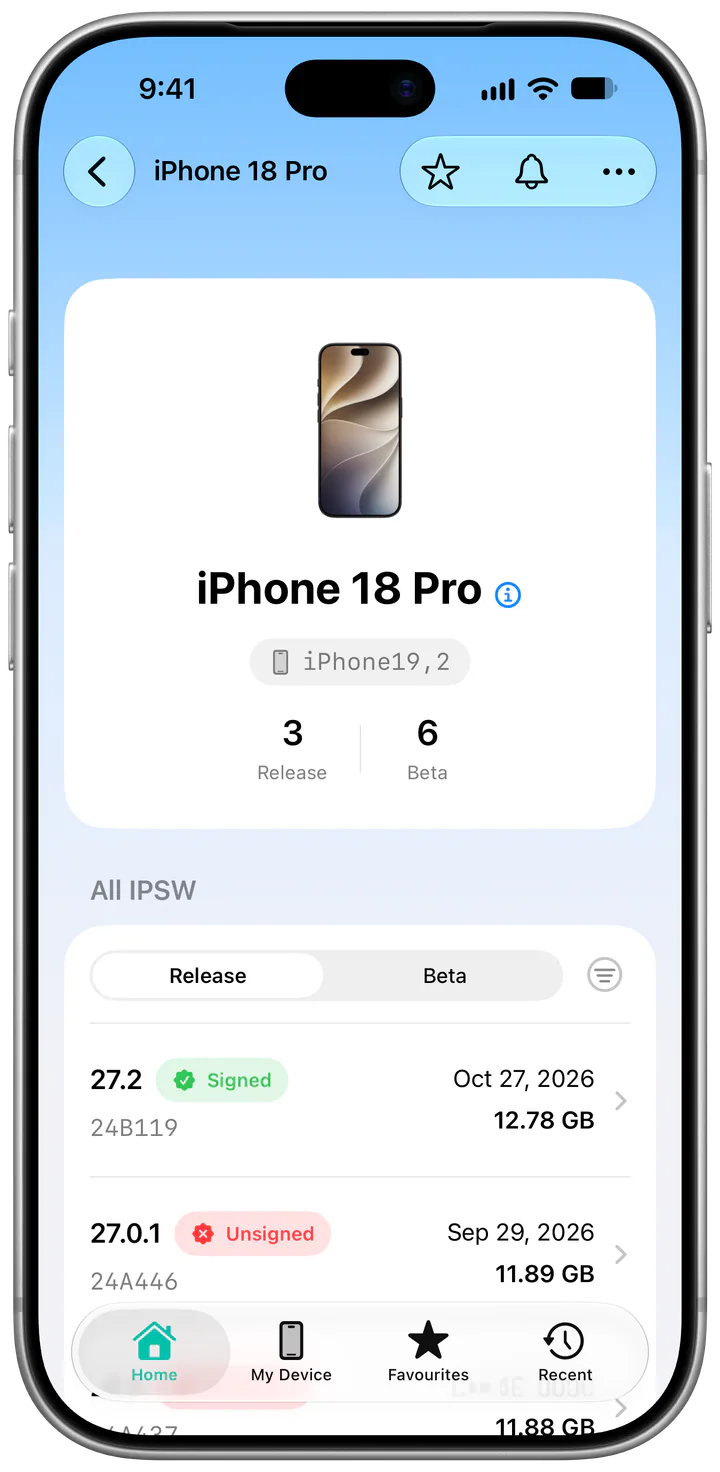
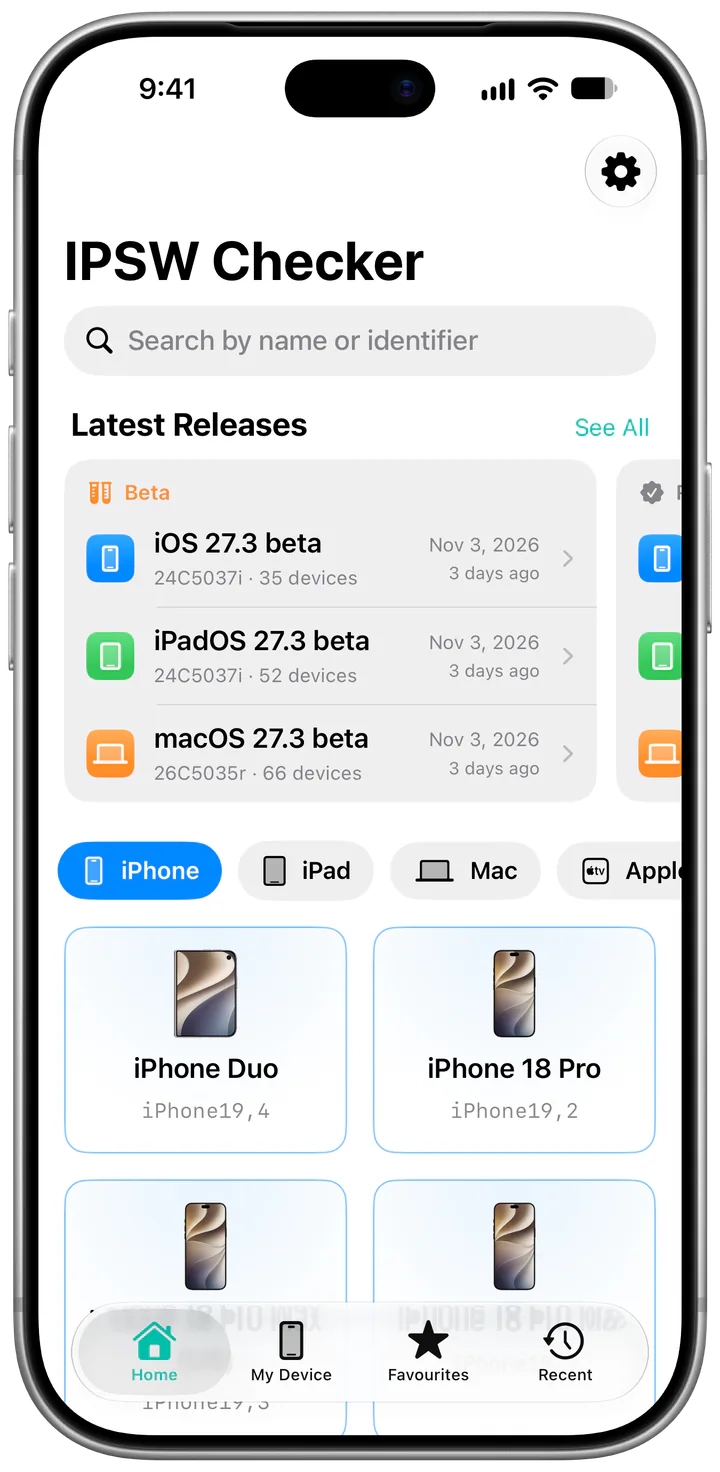
Signed or not, at a glance.
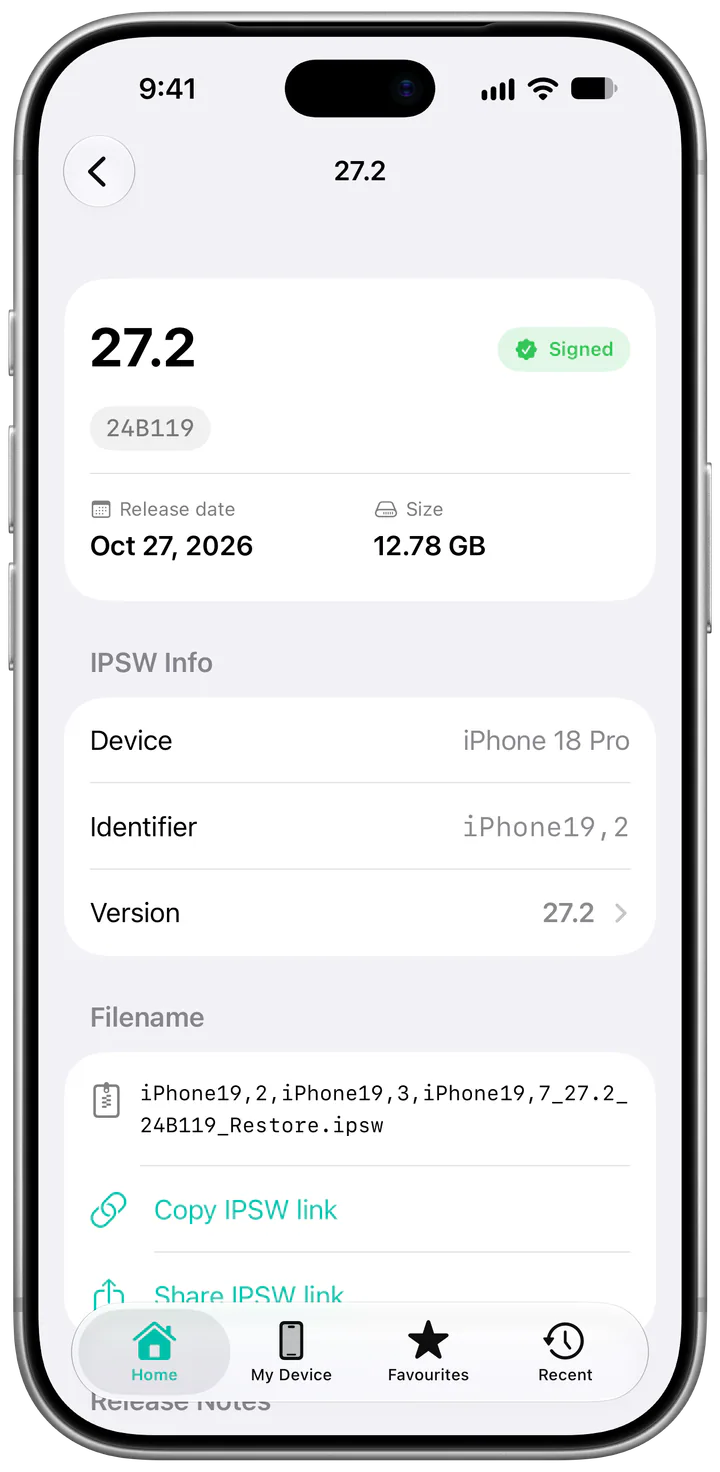
Each firmware lists its build, release date and size, and whether Apple is signing it today. If it says Unsigned, you can skip the 9 GB download.
Open a version to copy or share its link, check the SHA‑256 checksum and read Apple’s release notes.
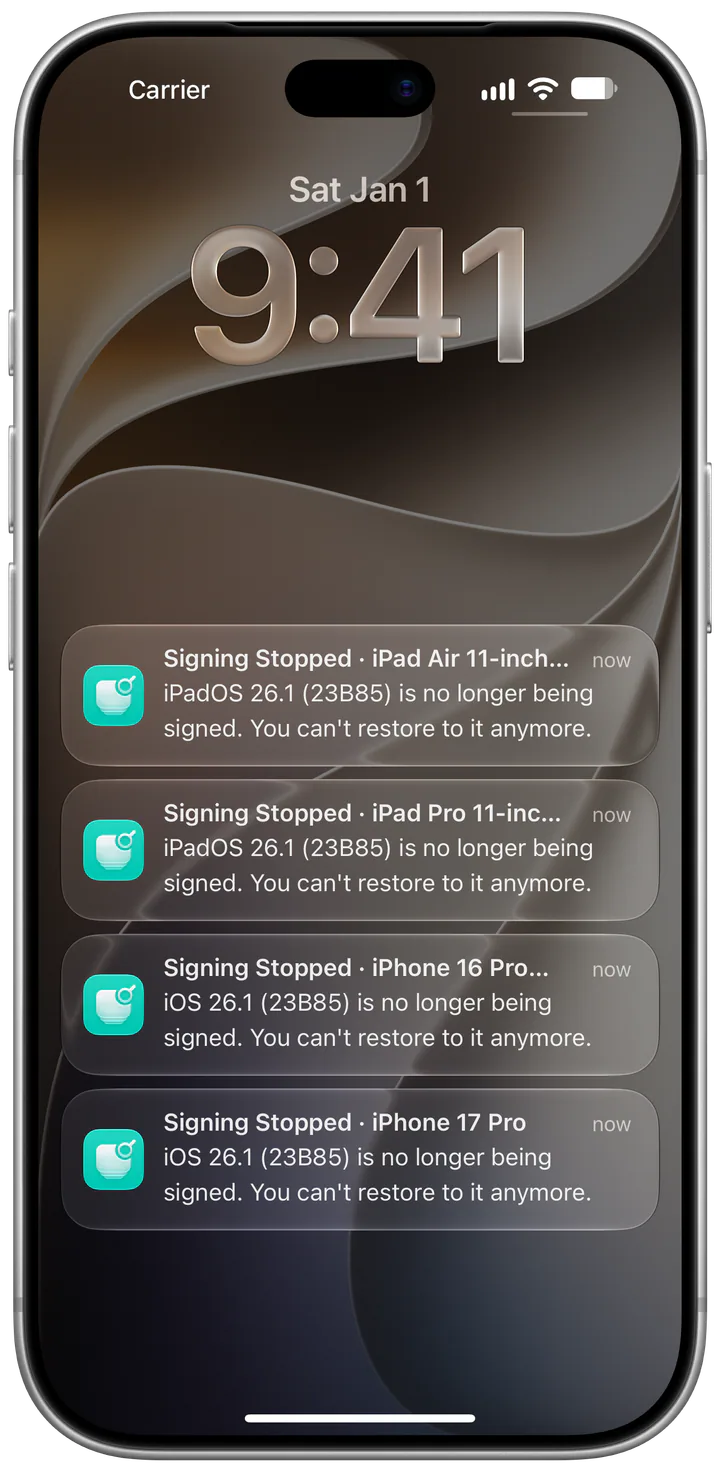
Hear about it when signing stops.
Follow your Favorites or pick devices one by one. When Apple stops signing a firmware for any of them, your iPhone gets a notification, even if you haven’t opened the app in weeks.
Release alerts for iOS, iPadOS, macOS, watchOS, tvOS and visionOS cost nothing.
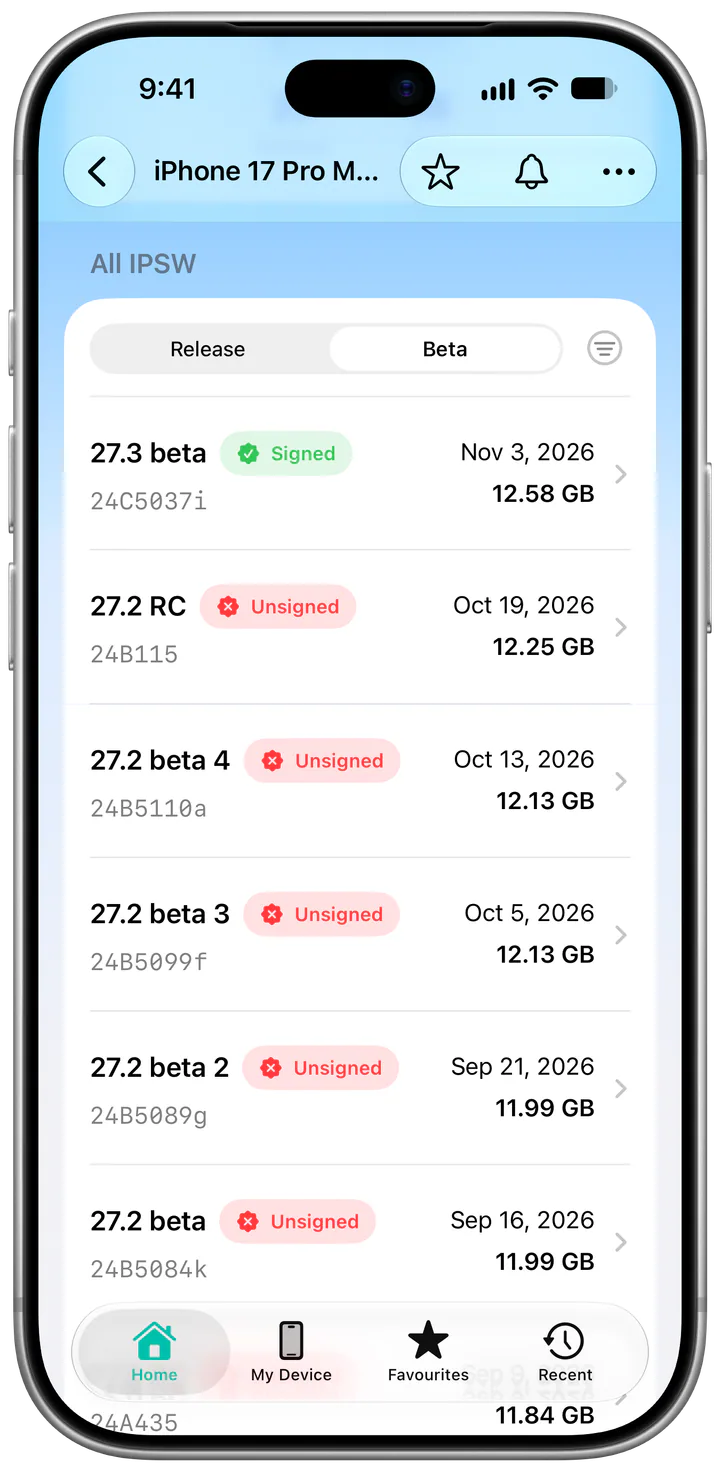
Betas right next to releases.
Developer betas, public betas and release candidates show up beside the shipping versions, each with its own IPSW link.
A new beta reaches the app an hour or two after Apple posts it.
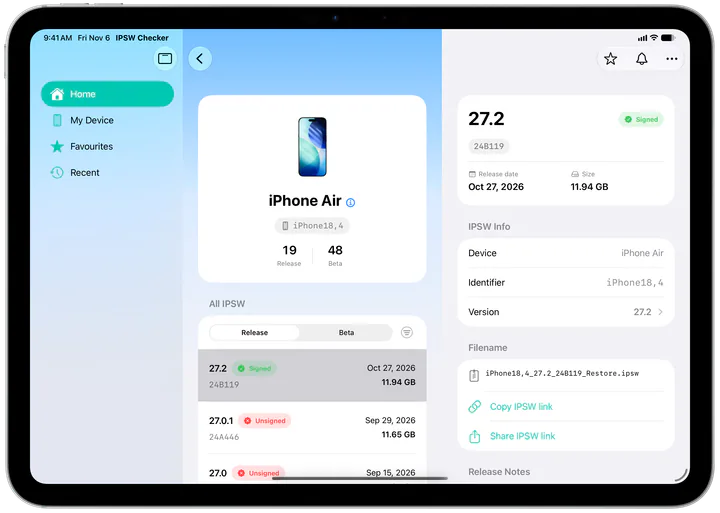
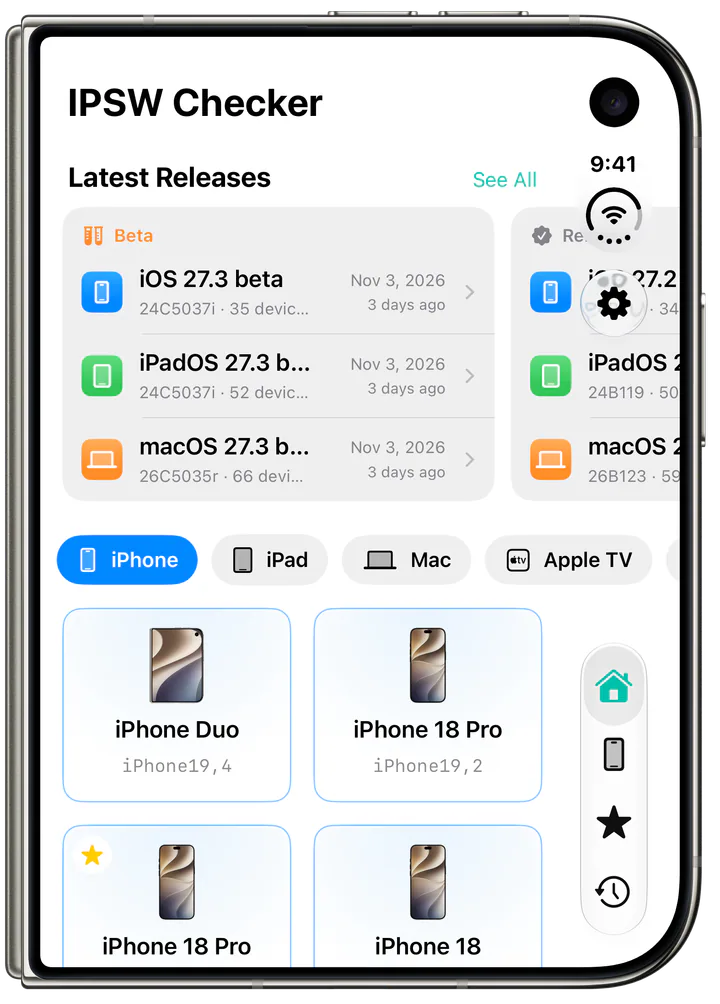
Made for iPad. Ready for iPhone Duo.
On a bigger screen you see devices and firmware side by side. Drag the divider to give either column more room.
More in the app.
-
Release notes
Read Apple’s notes for an iOS, iPadOS or macOS update without opening Safari.
-
My Device
See at a glance whether the iPhone or iPad in your hand runs the latest version.
-
Widgets
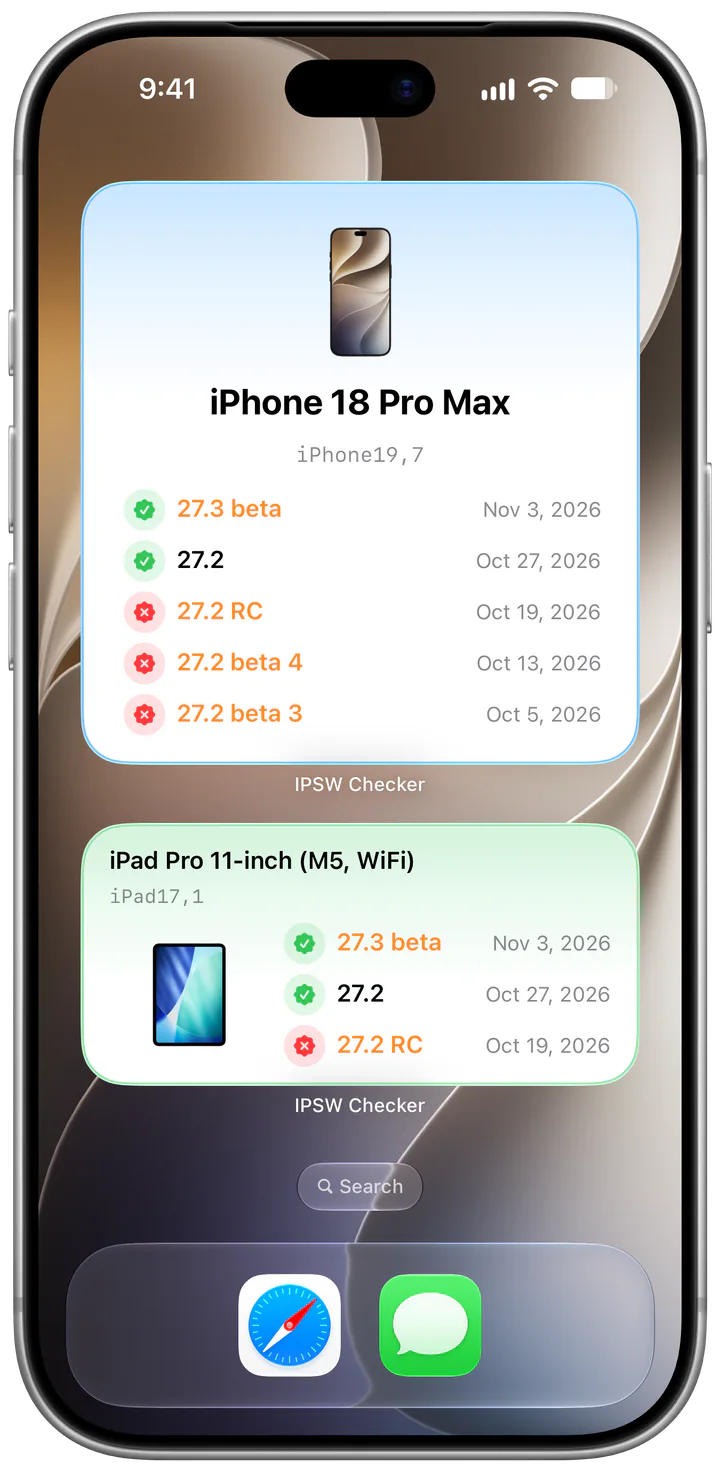
Keep your devices and the newest releases on the Home Screen. Show releases, betas or both.
-
Siri and Shortcuts
Ask Siri for a device’s latest firmware, or which devices can still install a version.
-
Spotlight
Type a device name in Search and jump to its firmware.
-
Ten languages
English, German, French, Spanish, Italian, Japanese, Korean, Brazilian Portuguese, Vietnamese and Simplified Chinese.
Get told, instead of checking.
The app is free and has no ads. Pro adds alerts and sync, and keeps the servers running.
-
Signing alerts
A notification when Apple stops signing a firmware for your devices.
-
Beta alerts
Hear about new betas and release candidates the hour they land.
-
More widgets
Put any of your Favorites on the Home Screen.
-
iCloud sync
Your Favorites match on every device signed in to your Apple Account.
Pay monthly, yearly or once. The App Store shows the price for your region.
IPSW Checker
Free on the App Store for iPhone and iPad. No ads, no account.